
9 min read
Silent Automation Failures: Catch Them Before Clients Do
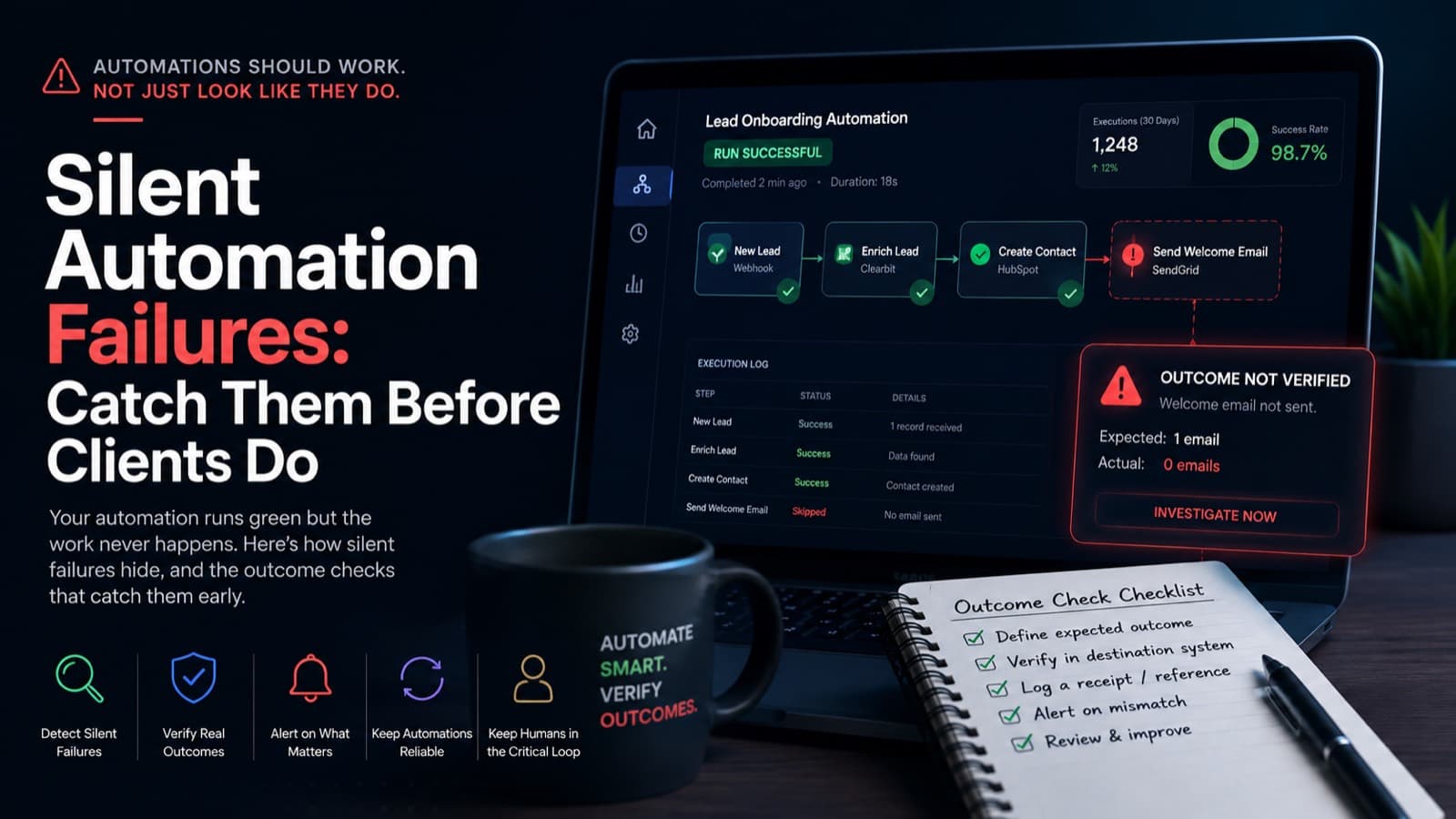
Your automation runs green but the work never happens. Here is how silent automation failures hide, and the outcome checks that catch them early.

Mike
Founder & AI Automation Lead
Your automation dashboard is a wall of green checkmarks. Every run says success. And yet the lead never got assigned, the invoice never went out, and nobody finds out until a customer emails to ask where their thing is. That gap, between a run that reports success and work that actually happened, is where money leaks out of a business quietly, for weeks, with no error in the log to warn you.
This is for the founder or head of operations already paying for HubSpot, Pipedrive, Zapier, Make, or n8n. You are past deciding whether to automate. The live worry is whether what you built last quarter still does its job. Below is why these failures stay invisible, and the specific checks that surface them before they cost you.
Key takeaways
- A successful run only proves the tool did not crash. It says nothing about whether the business outcome actually happened.
- The four common causes are an expired auth token, a renamed upstream field, a changed API response shape, and a schedule that never fired.
- Platform logs report execution status, not outcome, so they are blind to a run that succeeds while doing nothing.
- Monitor the outcome: define the expected result, check the destination system with an independent second job, and make each run emit a receipt you can reconcile.
- Keep a human on the few steps that are irreversible or high-stakes, like moving money or messaging a client.
A green run only proves the tool did not crash
A successful run is a low bar. It means the workflow reached its final node without throwing an error. It does not mean the lead was assigned, the record was updated, or the email left the building. Those are two different claims, and most teams read the first as if it were the second. One practitioner put the diagnosis plainly: you automated it, it is technically running, and you have no idea if it is working (Anca Onuta on silent failure). That is not automation. That is organized uncertainty.
The problem gets worse because tools are built to report activity, not value. A platform will happily count an ever growing number of executed runs while none of them solve a real business need. As one automation consultancy notes, vendors even report success on fixing problems that were never problems, because a bigger count of automated events looks like progress on a slide (CKM Analytix). Green becomes a vanity metric.
None of this is rare. Gartner expects more than 40 percent of agentic AI projects to be canceled by the end of 2027, often because the business value never became clear (Gartner). The automations that survive have a quieter problem: they keep reporting success while drifting away from the outcome they were built for. When we ran an Operations Leak Audit for a services business recently, the most expensive finding was never a red error. It was a green workflow doing nothing.
The four ways an automation goes dark
Silent failures are not mysterious once you know the shapes they take. Across the engagements we have shipped, four causes account for almost all of them.
- An auth token expired. A connected app rotates or revokes a credential, the workflow can no longer write to the destination, and depending on the design it either skips the step or records a success it did not earn.
- An upstream field got renamed. A form vendor or a CRM admin renames a field, your mapping now points at nothing, and the workflow writes an empty value. Everything downstream treats blank as valid. This is why we usually pair silent-failure work with proper CRM and AI integration, because the CRM is where the empty write does its quiet damage.
- An API changed its response shape. A provider ships a new version, the payload structure shifts, and your workflow parses an empty result as if it were a real one, then reports success on zero records.
- A schedule never fired. The run that never starts is the one no in-workflow error handling can ever see. The trigger did not fire, or the webhook queued and dropped, and there is no failed run to alert on because there was no run at all.
The common thread is that each of these can happen without producing a single error. A field rename does not throw. An empty payload does not throw. A missing run does not throw. As one operations write-up points out, workflows break down quietly when a form changes or a system updates, and the problem goes unnoticed until it finally causes delays or customer complaints (Logista Solutions).
Why platform logs will never catch a silent failure
Here is the uncomfortable part. Your automation platform is not lying to you, it is answering a different question than the one you care about. The log records whether the process executed. You want to know whether the outcome occurred. Counts catch absence, they do not catch wrongness, so a workflow that writes the wrong value, or writes to the wrong place, passes every built-in check.
This is why the honest answer to how teams discover failures is so bleak. Ask operators how they find out a background process broke, and the real answers, more often than anyone admits, are a customer told us, we found out at month end, or simply too late (Pascal Wagenhofer). By then the damage has compounded. A silent failure in a step that leaves the building, an email, an invoice, a client message, does not just stop, it creates cascading problems that can be worse than the manual process it replaced (Venko Systems).
A composite scene from our audits shows how long this can run. A company routed inbound leads on a popular platform into their CRM, and every run had been green for weeks. When we counted assigned leads directly in the CRM, new assignments had effectively stopped 11 days earlier. An upstream form field had been renamed, the mapping wrote an empty owner, and the workflow treated no match as a successful skip. You can see the same principle in our lead capture automation work, where the fix is always to verify the record, not the run.
How to monitor the outcome instead of the run
The fix is a change of habit with four moving parts. Stop trusting the checkmark and start watching the result.
First, define the expected result for each critical workflow in plain terms: the volume you expect, the cadence, the owner, and the required fields. If a lead router should produce roughly forty assigned records a week, then zero assigned records is an alarm even when every run is green.
Second, run an independent second check that queries the destination system directly and never touches the primary workflow. This is the step most teams skip, and the one that actually saves them, because it keeps working even when the main workflow is completely broken. A scheduled job that counts rows in the CRM, or checks the accounting system for today's invoices, tells you the truth the platform cannot.
Third, make each important run emit a small receipt: the input batch id, how many records it expected, where it wrote, whether the required fields were present, and how many rows it rejected. Then reconcile effect against execution. One practitioner described the same discipline for AI agents: write the value, reread the destination, and only report success after the state actually changed (Jethro Jones). Ask the automation to prove it, do not take its word.
Fourth, alert on the oldest unprocessed item aging past a threshold, so a queue that quietly stops draining pages someone. This kind of outcome monitoring is central to how we build AI workflow automation, and it is the direction the wider field is moving, as the annual benchmark of automation practitioners now tracks observability alongside raw adoption (Stonebranch 2026 report).
Where a human still belongs in the loop
Not every step should run unattended, and pretending otherwise is how a silent failure turns expensive instead of merely annoying. The line we draw is simple: automate detection and drafting everywhere, but keep a human on the few actions that are irreversible or high-stakes and leave the building. Moving money, sending a message to a client, and anything that pages a person belong in that group, because a wrong or missing action there cannot be pulled back.
This is not a compromise, it is the architecture. The durable automations we see in production define explicitly which decisions run on their own, the low-stakes and reversible ones, and which require a human approval step first. A Slack message that says the system classified this as a refund request for a set amount, approve or reject, is not a failure of automation. It is the design that makes automation safe to trust (a widely shared analysis of human-in-the-loop design).
Everything reversible and internal, a note on a record, an update to a sheet, an internal table, can run on its own, as long as the reconciliation check from the previous section is watching it. The point is not to keep humans busy. It is to spend your limited human attention on the handful of steps where a silent failure genuinely hurts.
Common questions operators ask
What exactly is a silent automation failure?
It is when an automated process stops producing the correct outcome without triggering any alert. The workflow still runs, the log still shows success, but the record was not written, the email was not sent, or the value written was blank. Because nothing errors, you only discover it when someone downstream notices the work is missing, often days or weeks later.
Why does my platform's error alerting not catch this?
Error alerts fire when a step throws an exception. Silent failures do not throw. A renamed field, an empty payload, or a run that never started all look like normal, successful executions to the platform. The log answers whether the process ran, not whether the outcome happened, so it is blind to this entire class of problem.
What is the single fastest check I can add this week?
Pick your most important workflow and write one scheduled job that queries the destination system directly, counts what should be there, and alerts if the number is zero or the oldest item is too old. It takes an afternoon, it runs independently of the workflow it watches, and it will catch the failures your platform cannot see.
Should I just add more error handling inside the workflow?
Error handling helps, but it can only catch failures the workflow can see. It cannot catch the run that never fired or the success reported on zero records. That is why an independent outcome check matters more than any amount of in-workflow logic: it survives the workflow being completely broken.
Where to start this week
You do not need a monitoring platform or a new tool to fix this. Start with one workflow, the one whose silent failure would cost you the most, and add a single independent check that verifies the outcome in the destination system. If you would rather find every leak at once, that is exactly what we do at Hexa AI Agency: a free Operations Leak Audit maps your automations, checks each one against the outcome it is supposed to produce, and puts a dollar figure on the biggest gap so you know where to start. Book the audit and we will show you which of your green checkmarks are lying.